 RWF
 KES - Kenya
 UGX - Uganda
 TZS - Tanzania
 NGN - Nigeria
 ZAR - South Africa
 USD - Zimbabwe
 GHS - Ghana
 ETB - Ethiopia
 ZMW - Zambia
 USD - International

Rwanda has made public services remarkably digital. People apply for documents, pay taxes and register businesses online. Customers who are used to that convenience notice when a supplier still needs three emails to send a statement.
For a Rwandan small or medium business, a customer self-service portal is a simple way to match those expectations. This guide starts with the questions your customers ask, then shows how a portal answers them and how to launch one in Kigali or anywhere else in the country.
Start with the questions customers ask
Before you think about software, list what customers ask for. In most businesses that sell to other businesses, the list looks something like this:
- “Can you send us invoice number 214 again?”
- “What is our balance at the end of the month?”
- “Which MoMo number do we pay, and what reference do we use?”
- “Is the quotation from last week still valid?”
- “Has our order been delivered to Musanze yet?”
- “Who is dealing with the problem we reported?”
- “Please send the signed contract.”
Each question has an answer in your records. The portal simply lets the customer see it.
How the portal answers them
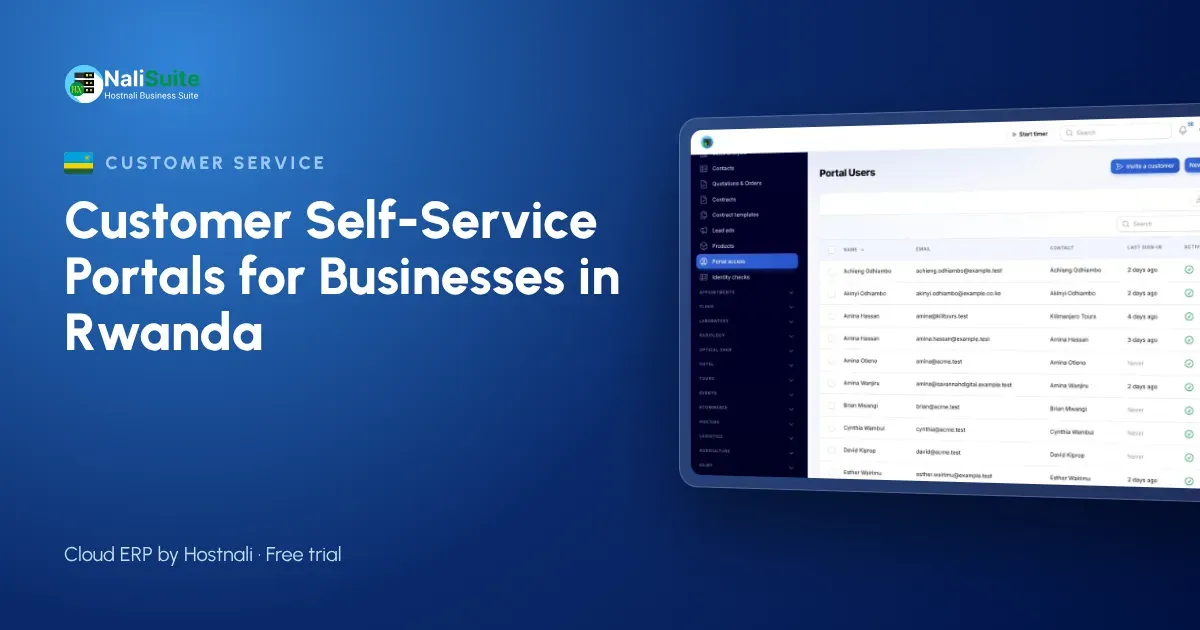
The NaliSuite customer portal is a built-in app on every plan. You invite customer contacts by email, they sign in with a secure link or password, and each sees only their own organisation’s records.
| Question | Where the answer is |
|---|---|
| Invoice copies | Every invoice, downloadable at any time |
| Balance | An up-to-date statement |
| How to pay | A payment option on each outstanding invoice: MTN MoMo, Airtel Money or card |
| Quotation status | Quotations the customer can review and accept online |
| Delivery | The order linked to the accepted quotation |
| Problems | Support tickets and your knowledge base |
| Contracts | Shared documents, with online signatures |
Payments made from an invoice arrive already linked to it. That removes most of the time spent matching mobile money transfers to invoices. Read more about mobile money payments in NaliSuite.
Rollout over a month
First week: tidy up. Check customer contacts, emails and TINs. Merge duplicates and bring payments up to date. Customers will see their balances, so they need to be right.
Second week: pilot. Invite a small group of regular customers. Ask them to download a statement, pay a small invoice and open a test ticket. Note what they find confusing.
Third week: write help. Short helpdesk knowledge base articles answer the pilot’s questions. Keep each to one task.
Fourth week: launch. Invite every active customer, add the portal link to invoices and statements, and agree that staff answer document requests with the link.
Example: an events supplier in Kigali
An events company in Kigali rents out tents, chairs, sound equipment and staging to conference organisers, hotels and NGOs. Each event starts with a quotation, often revised twice, and ends with an invoice, a deposit already paid and a balance due.
Before the portal, quotation revisions went back and forth by email, deposits arrived by MoMo with unclear references, and clients often asked for their invoice history at the end of their financial year.
With the portal, clients open the latest quotation, accept it online and pay the deposit from the invoice. On the day after the event, the balance invoice is waiting in the portal for the client to pay. Damaged item reports and requests for extra equipment arrive as tickets. At year-end, clients download their own invoice history. The events team spends its time on events, not paperwork.
Making the portal part of normal work
A portal that nobody mentions will not be used. Build it into your routine:
- the portal link on every invoice, statement, quotation and email signature;
- a line in the welcome email to every new customer;
- a reply template for copy requests that includes the link;
- a monthly look at which major customers have not signed in yet, followed by a quick call.
What a portal does not replace
It is worth being clear about the limits, so expectations are right.
- Relationships. Large clients still expect a call from someone they know when something important changes. The portal frees time for those calls.
- Your accounts work. The portal shows what your records say. Recording payments, issuing credit notes and following up overdue accounts are still your team’s job, made easier with invoicing and accounting in the same system.
- Urgent problems. If an event is starting in an hour and the sound system has failed, the client will phone. Tickets are for everything that can wait a little.
Data protection in Rwanda
Rwanda’s Law No. 058/2021 relating to the protection of personal data and privacy applies to the names, phone numbers and emails in your portal. The National Cyber Security Authority (NCSA) supervises it. Invite only contacts each customer approves, remove leavers promptly, and share documents only with the customer they concern. Check with the NCSA whether your business needs to register as a data controller or processor.
Frequently asked questions
Is the portal included in NaliSuite?
Yes. It is a built-in app on every plan, from RWF 3,500 a month for Starter.
Can customers pay with MTN MoMo?
Yes. Outstanding invoices can be paid by MTN MoMo, Airtel Money or card.
Can a customer see other customers’ records?
No. Each portal user sees only their own organisation’s records.
Do customers need to install anything?
No. The portal opens in a browser on any phone or computer.
Try NaliSuite
Offer Rwandan customers the same online convenience they expect elsewhere. See the NaliSuite plans and start a free trial.