 RWF
 KES - Kenya
 UGX - Uganda
 TZS - Tanzania
 NGN - Nigeria
 ZAR - South Africa
 USD - Zimbabwe
 GHS - Ghana
 ETB - Ethiopia
 ZMW - Zambia
 USD - International

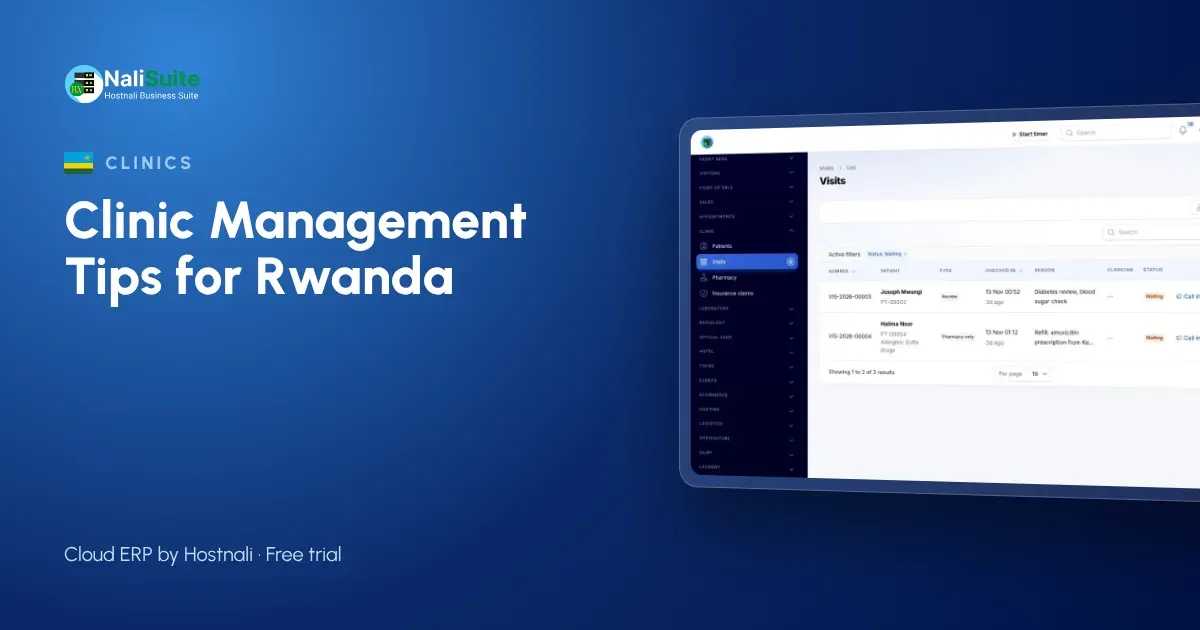
Clinics in Rwanda work alongside a well-organised public health system and patients who expect fast, digital service. A private practice that still runs on paper stands out for the wrong reasons.
Here is how to bring each part of the clinic onto one system.
Move patients through the day in order
Think of the visit as a short journey: arrive, register, wait, consult, test, collect medicine, pay. Every hand-over is a chance to lose time or paper. Put each step on one system and the next person always knows what is waiting for them.
Reception checks the patient in, the clinician picks them from the queue, orders tests or prescribes, and the pharmacy and cashier see the same visit. For booked services, Appointment Booking lets patients choose a time with the person or room they need and pay a deposit online if you ask for one.
Records that follow the patient
Good records are not about paperwork; they are about safer decisions. The clinician should see allergies and current conditions before writing a prescription, not after.
Keep allergies, conditions and insurance cover on each patient, and capture vitals, notes and diagnosis at every consultation. Limit access by role so reception sees bookings and bills, while clinical notes stay with clinical staff.
Notes for Rwandan clinics
Many patients are covered by insurance, so each visit should carry the insurer’s share as a claim and the patient’s share as a payment, often by MTN MoMo or Airtel Money.
Personal data, including health information, is protected under Law No. 058/2021, and the National Cyber Security Authority (NCSA) supervises it. Use role-based access and individual logins for every staff member.
Stop losing money on expired and missing medicine
Expired stock is cash thrown away, and missing stock is a patient sent elsewhere. Both shrink when every dispensed item is recorded against a prescription and every delivery is received into stock.
Use Inventory lots to track batches, set reorder rules for essential medicines, and count the shelves regularly against the system. Differences show you where stock leaks.
Common pitfalls, and the fix
| Pitfall | Fix |
|---|---|
| Patients wait without knowing their turn | One check-in queue shared by all rooms |
| Medicines expire on the shelf | Track batches and sell the oldest first |
| Tests done but not billed | Order tests from the visit so they land on the bill |
| Claims forgotten | Weekly review of open claims |
| Shared passwords | One login per staff member, access by role |
Bill once per visit and claim the covered share
Separate bills for consultation, lab and pharmacy confuse patients and leak revenue. One bill per visit, with each service and medicine added as it happens, is easier to pay and easier to check.
Where a patient is insured, the Clinic and Pharmacy add-on raises an insurance claim for the covered share, and the patient pays the balance by MTN MoMo or Airtel Money, card or bank transfer. Payments are matched to the visit, so the cashier closes the day with figures that agree.
Example: a polyclinic in Musanze
A polyclinic in Musanze with three consultation rooms wanted shorter waits. With online booking for review visits and a check-in queue for walk-ins, clinicians now see a predictable list. Lab orders, dispensing and billing stay on the same visit, and payments by MoMo are matched automatically.
Give the lab its own workflow
Lab work needs more than a results column in the patient file. Tests need codes, sample types, normal ranges and someone to check results before they go out.
The Medical Lab add-on keeps a test catalogue with sample types, prices and turnaround times, labels samples with barcodes, flags results high or low as they are typed and asks a second person to verify before the PDF report is released.
A simple rollout plan
- Import patients, services, medicines and opening stock.
- Create a login for every staff member with the right role.
- Go live with check-in, consultation and billing.
- Move the pharmacy onto stock-based dispensing.
- Add the laboratory and online booking when the basics run smoothly.
Frequently asked questions
Can patients pay by MTN MoMo?
Yes. Patients can pay by MTN MoMo, Airtel Money, card or bank transfer, matched to the visit.
Can we offer online booking?
Yes. Appointment Booking gives you a booking page with reminders and optional online deposits.
Is the clinic software an extra cost?
Clinic and Pharmacy, Medical Lab and Appointment Booking are add-ons to any NaliSuite plan, so you add only the ones your practice needs. Plans start from RWF 3,500 a month.
Can a small clinic use it, or only hospitals?
It suits small practices well: start with patient records, the queue and billing, and add the lab or online booking later as you grow.
Try NaliSuite
NaliSuite is a cloud ERP that runs your clinic’s records, pharmacy stock, billing and books in one place. See how it fits clinics, pharmacies and laboratories, then start a free trial and add the clinic add-ons when you are ready. Plans start from RWF 3,500 a month; compare the plans.