 RWF
 KES - Kenya
 UGX - Uganda
 TZS - Tanzania
 NGN - Nigeria
 ZAR - South Africa
 USD - Zimbabwe
 GHS - Ghana
 ETB - Ethiopia
 ZMW - Zambia
 USD - International

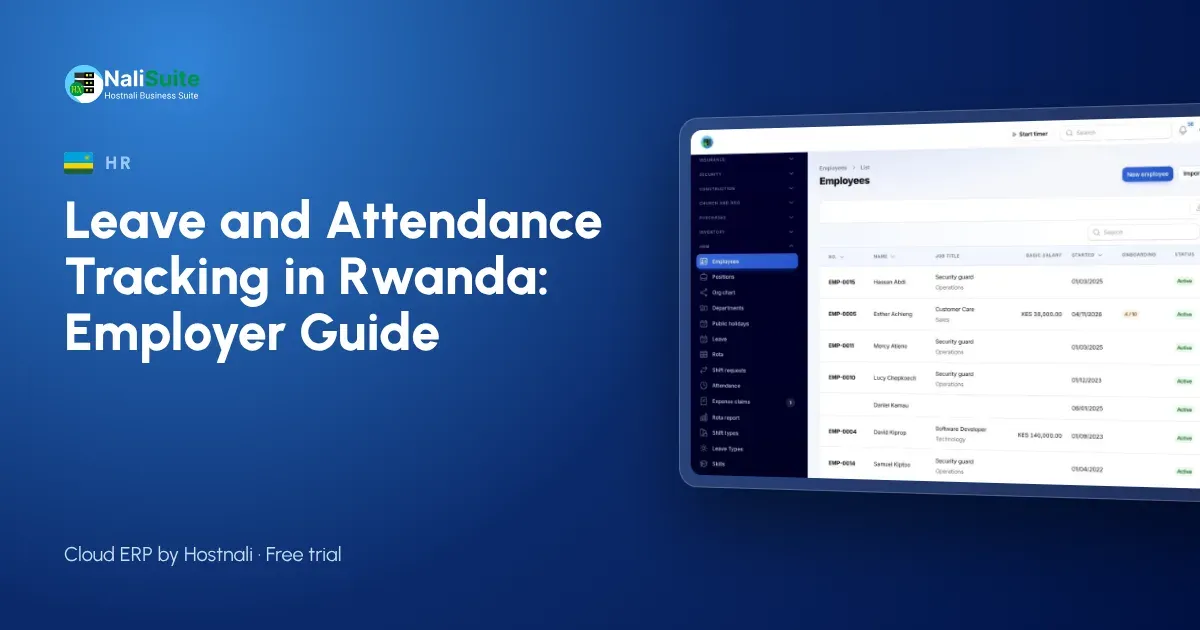
Rwandan employers are used to clear records: RSSB, RRA and contracts all expect them. Leave and attendance are often the weakest link, kept on paper or in an inbox.
This guide explains what to track, how to set it up on staff phones and how it connects to payroll, with an example from a software and IT support firm in Kigali.
Questions to answer before you start
- Which leave types do your contracts in Rwanda promise, and how many days each?
- Does leave build up month by month or arrive at the start of the year?
- Can unused days be carried over, and is there a limit?
- Who approves leave for each team, and who covers when they are away?
- Which sites need a geofence, and what are the working hours at each?
- Which team members are paid by the day or hour, so attendance changes their pay?
Decide the rules first
Software only enforces the rules you give it. Write down, in plain words:
- the leave types in your contracts and how many days each one gives;
- whether leave builds up monthly or is granted at the start of the year;
- who approves leave for each team;
- what counts as late, and what happens when someone is;
- how overtime is approved before it is paid.
Example from Rwanda
A software and IT support firm in Kigali with 15 staff, half of them working at clients’ offices, tracked attendance by asking people to email when they arrived. Nobody read the emails until month-end. With geofences around the office and the main client sites, check-ins are automatic, leave requests have a clear approver, and the payroll run starts from accurate days.
Approvals without the paperwork
Each request in the employee app carries the dates, the reason, the remaining balance and the approver’s decision with a timestamp. Team leads approve from their own phones, so leave no longer waits for someone to be back in the office, and HR stops being the middle person for every message.
Late detection and site check-in
Set the working hours for each team and draw a geofence around each site. When someone signs in after the start time, the HR app marks them late; when they forget to sign out, the team lead is prompted to fix it. Over a month this gives you an honest picture of punctuality without anyone standing at the gate.
Staff trust and privacy
Be open with team members about what is recorded: the time and place of each sign-in and sign-out, and nothing in between. Let them see their own attendance and leave history. When people can check their records, disputes drop and the system is accepted quickly.
Month-end without the chase
At the month’s close, the payroll officer opens the pay run and the days are already there: leave taken, absences and approved overtime. statutory payroll applies PAYE and RSSB contributions, produces payout files for MTN MoMo or Airtel Money and bank and sends pay slips. You can also try the PAYE calculator for a single salary.
Leave and attendance in Rwanda: what to keep in mind
In Rwanda, leave entitlements come from the Labour Law and your contracts, so set your leave types to match them and check the law where you are unsure. Attendance and leave feed the pay run, which works out PAYE and RSSB contributions and pays staff by bank, MTN MoMo or Airtel Money.
Another example: Huye
Picture a coffee washing station in Huye, around 38 people. Leave used to be agreed in passing and written down later, if at all. With requests in the app and sign-in at the Huye site, the owner now sees each morning who is in, who is on leave and who is late, and pays team members by bank and MTN MoMo or Airtel Money from the same record.
What goes wrong, and how to prevent it
Leave tracking usually fails for simple reasons: balances that were never loaded, approvers who are not told about requests, and attendance records nobody reviews. Fix these with three habits: load starting balances before go-live, give every team a named approver and a backup, and look at the late and absence report every Monday.
Reports managers actually use
Team leads rarely want long reports. The useful ones are short: who is off next week, who was late more than twice this month, and how many overtime hours were worked. NaliSuite keeps these one tap away for each team lead, limited to their own team.
How to switch from paper
Start with one team rather than the whole company. Load their leave balances, set their geofence and run both systems side by side for two weeks. When the app’s records match reality, add the next team. Most businesses have everyone on it within a month.
Frequently asked questions
Can staff working at client sites check in there?
Yes. Add a geofence for each regular client site; staff check in wherever they are working that day.
Does leave affect RSSB contributions?
Unpaid leave reduces pay for the period, and the pay run works out contributions on the final figures.
Do staff need a laptop?
No. The employee app works on any smartphone browser and can be added to the home screen.
Try NaliSuite
Leave, attendance, HR and payroll are part of every NaliSuite plan, from RWF 3,500 a month. Start a free trial and set up your first team this week, or compare the plans.