 RWF
 KES - Kenya
 UGX - Uganda
 TZS - Tanzania
 NGN - Nigeria
 ZAR - South Africa
 USD - Zimbabwe
 GHS - Ghana
 ETB - Ethiopia
 ZMW - Zambia
 USD - International

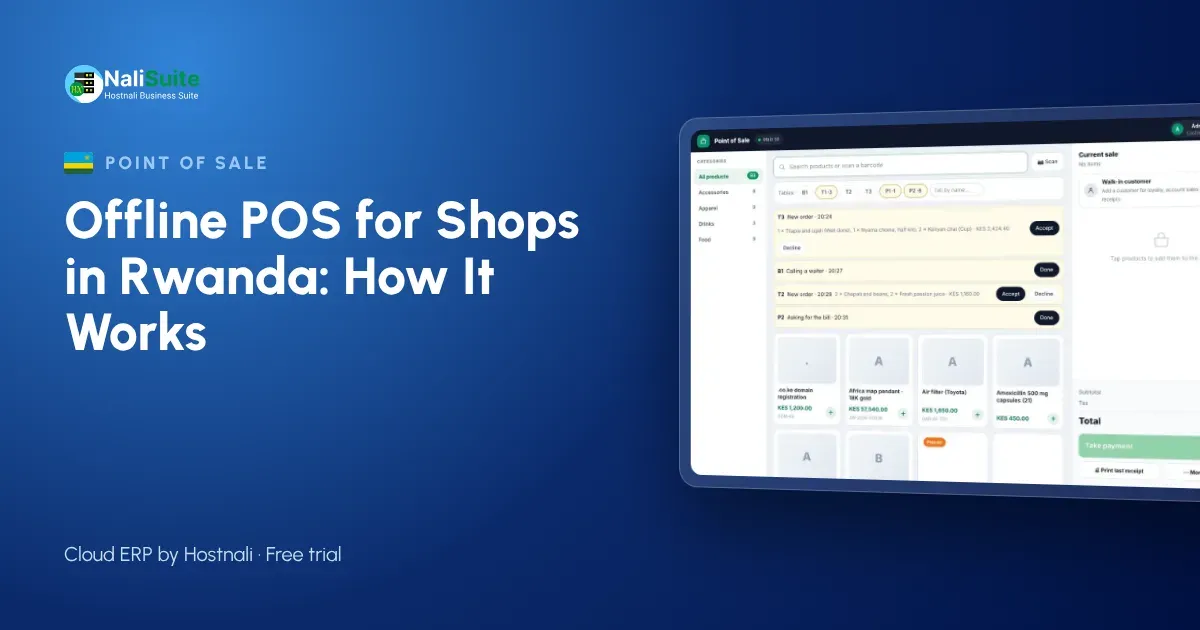
Kigali is well connected, yet no network is perfect, and towns like Musanze or Rubavu can be patchier. A till that stops when the internet does is a risk you do not need. This guide explains how an offline point of sale works and how it fits Rwandan payment habits.
What an offline POS actually does
Think of an offline till as a cloud system with a memory. While the internet is up, every sale goes straight to the cloud. When it drops, the till quietly keeps a queue of sales on the phone, tablet or laptop it runs on. Receipts still print, prices still come from the last price list the till downloaded, and stock still goes down on screen. Once the line is back, the queue uploads in order and the cloud is complete again.
The cashier should hardly notice the switch; a small indicator is enough to show the till is offline.
Rwandan shops, MoMo and connectivity
Most customers in Rwanda are comfortable paying with MTN MoMo or Airtel Money, and for many shops mobile money is now a large share of sales. That makes a clear record of each mobile money sale important, especially when you check against your statements at the end of the day.
RRA’s electronic billing (EBM) rules apply to many businesses, so check what your business must use. Your point of sale records sales and stock; it does not replace a device or system the law requires.
Taking payment when you are offline
Customers do not care that your router is down; they want to pay and go. Agree a simple routine with your cashiers: take cash and card as normal, confirm any mobile or bank payment on the shop phone before handing over goods, and record the method on the sale. When the till reconnects, payments are matched to their sales and the takings report is complete.
Split payments help a lot here. A customer can pay part in cash and the rest another way, and the till keeps both on one receipt.
The NaliSuite till records every payment method on the sale; more on mobile money and card payments here.
Example: a café in Musanze
A café in Musanze serving visitors on their way to the national park uses a tablet till with table service. When the connection drops at lunchtime, the staff keep taking orders at the tables and closing bills paid by MoMo, card or cash. Once online again, the sales sync and the ingredients used are deducted from stock.
The owner sees the full lunch service in the evening report as if the network had never dropped.
Stock that follows every sale
The biggest hidden cost of a till that stops is not the lost sale but the unrecorded one. Goods leave the shelf, the notebook gets lost, and next week’s order is wrong. When the till and inventory are one system, every sale (online or offline) takes stock out of the right location, and reorder reports stay honest.
If you run several shops, stock transfers and per-branch levels show you where to move goods before you buy more.
What to look for when you choose a till
- True offline mode. Ask the supplier to show you the till selling with the router unplugged, then reconnecting.
- Safe sync. Sales should upload in order, without duplicates, even after a long outage.
- Your hardware. It should run on the phones, tablets or laptops you already have, with standard thermal printers and barcode scanners.
- Local payments. Cash, card and the way your customers actually pay, with split payments.
- Stock that follows sales. Every sale should reduce stock in the right shop or warehouse.
- Reports you can trust. End-of-day takings by payment method, by cashier and by till.
Choosing hardware for a Rwandan shop
Most Rwandan shops and cafés use a tablet till with a small thermal printer. Keep the router on a UPS, and keep a charger at the counter so the tablet never runs flat in a long service.
For MoMo, train staff to confirm the payment message before closing a bill, and record the method on the sale. At the end of the day, compare MoMo totals with the statement. If you use EBM, check with RRA how invoices from your EBM and your till records should line up.
Frequently asked questions
Does offline mode work for restaurant tables?
Yes. Tables, orders and bills continue on the device, and everything syncs when the connection returns.
Does it work for restaurants?
Yes. Restaurant tables are built into the till, and the Restaurant Pro add-on adds kitchen tickets, recipes and food cost.
How long can the till stay offline?
As long as the device has power. Sales are stored on the device and upload in order when it reconnects, so keep the device charged during long outages.
Try NaliSuite
NaliSuite’s offline POS is part of every plan, from RWF 3,500 a month, together with inventory, invoicing and accounting. Start a free trial, unplug your router and see for yourself. See plans.